This website is no longer maintained. New content has moved to www.zongyaojin.com. This site may become unavailable in the future.
ROS-2 · Foxglove Visualization
Mar 9, 2025
|
Tech
Software
Some brief notes for quick reference.
Foxglove visualization.
- to install ros-bridge
sudo apt install ros-humble-rosbridge-suite
- to launch ros-bridge
ros2 launch rosbridge_server rosbridge_websocket_launch.xml- change address and port if necessary
-
using Foxglove with ROS
official documentation
- by default, the address and port are
ws://localhost:9090 -
to debug remotely, your and host machines should be in the same network, you can typically configure Foxglove to
monitor
ws://{host_machine_address}:9090 - to debug remotely offline, you can record ROS Bags as MCAP files and review them in Foxglove
- by default, the address and port are
-
visualizing
transformationofficial documentation - below visualization uses Foxglove's web API, the panels are:
Plotfor curves-
3Dfortransformation, which can also visualize robot URDF like inRViz, see official documentation for more information Raw Messagefor raw text in JSON format
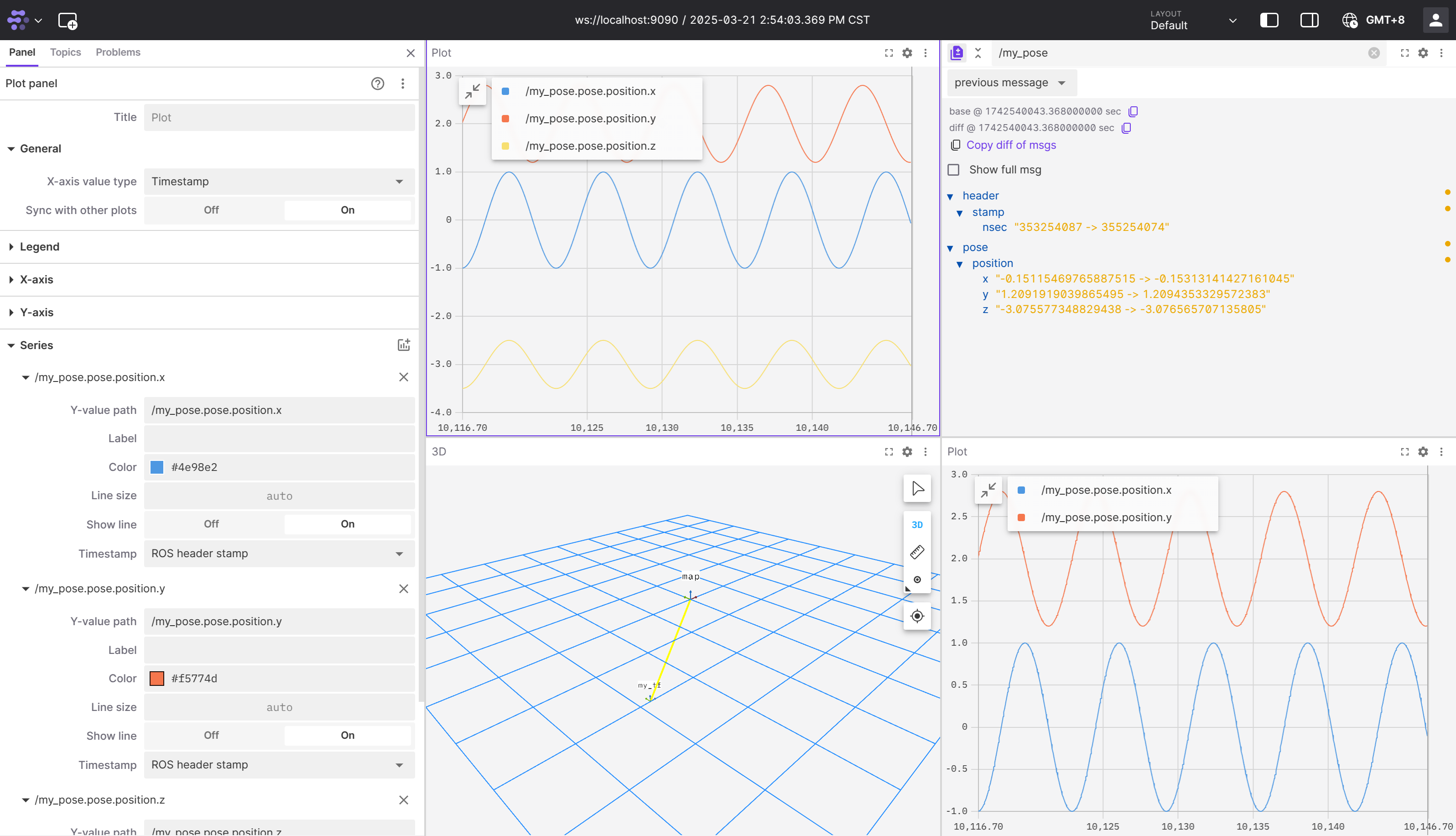
A simple ROS-2 example with pose and transformation publishers.
The ROS-2 example's package XML.
The ROS-2 example's CMake.